Share the copy.
Keep private details private.
Sending documents for KYC, a rental or a job? Add a recipient and purpose watermark. Mask details you don't need to share. Keep your originals in an encrypted vault on your iPhone.
Download on the App Store ↗For iPhone · Export PDF or PNG · Optional app lock
No account · No in-app analytics · No automatic uploads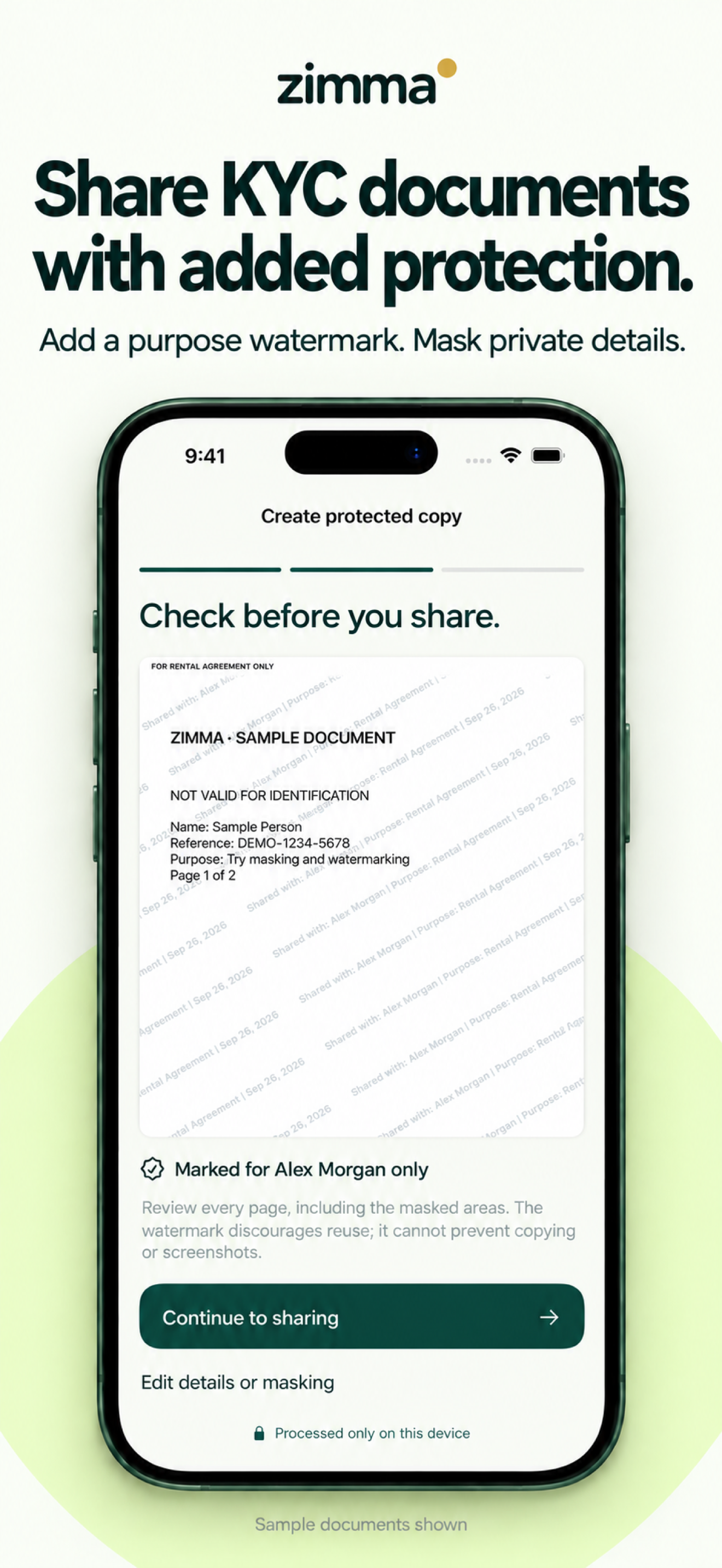
From original to a copy ready to share.
Import a PDF or image, or scan a document. Keep your original in your local vault.
Add the intended recipient and purpose. Mask information the recipient does not need.
Review every page and send the prepared PDF or PNG through the iPhone share sheet.
One original. A copy for each occasion.
Rental application: label a copy for the intended recipient and rental purpose.
Job application: choose the relevant pages and cover unnecessary personal details.
KYC request: add a visible purpose watermark and review the copy before sending. Check the recipient's requirements first; some services may not accept altered or watermarked documents.
Before you share
Can I watermark PDFs and images on my iPhone?
Yes. Zimma imports PDFs and common image formats including JPEG, PNG and HEIC. You can add a recipient and purpose watermark and export a separate PDF or PNG copy.
How does redaction work?
Draw masks over details you do not need to share. Covered pixels are removed from the exported copy. Review every exported page to make sure you covered everything intended.
Are my originals uploaded?
Zimma stores originals in an encrypted local vault. The app does not automatically upload them. When you share a copy, your chosen receiving app or service handles that file.
Can a watermark prevent misuse or revoke a file?
No. A watermark makes the intended recipient and use visible, but cannot prevent copying or editing. Shared files cannot be revoked or tracked by Zimma, and exports are not password-protected.
Support
For help, include your device model, iOS version, the step where the problem occurred, and the exact message shown. Please do not email identity documents, passwords, or other sensitive files.
Zimma does not collect your data.
Zimma operates locally on your device. It does not create an online account, run advertising or analytics, track you, or automatically transmit documents, contacts, activity, identifiers, diagnostics, or usage data to the developer.
Documents and vault data
Documents, names, categories, saved recipient details, packs and activity history are stored locally. Vault content and metadata use device encryption and a key stored in Apple Keychain. Vault files are excluded from device backup. Removing the app or clearing its vault may permanently remove this data.
Camera, photos, files and contacts
Camera, Photos and Files access is used only when you choose a document. The contact picker is shown only when you request it, and Zimma receives only the contact property you select. Saved recipient details remain local until you remove them.
Sharing
When you choose Share, iOS presents its system share sheet. The selected receiving app or service then handles the exported copy under its own terms and privacy policy. Zimma cannot revoke, track or delete copies after they leave the app. Exported copies are not password-protected.
Temporary files
Exports are temporarily created in Zimma's private app storage so iOS can share them. They are protected using iOS file protection and removed at the next launch or when you use the cleanup control. Copies saved by other apps remain outside Zimma.
Data retention and deletion
You control local data from within Zimma. You can clear recipients, activity and temporary exports, or delete the entire vault. Because the app has no server account, there is no developer-held account data to request or download.
Children and changes
Zimma is a general utility and does not knowingly collect children's data. Material policy changes will be posted on this page with a revised effective date.
Contact
Privacy questions: manishgupta3141@gmail.com.